

Managing Programs
Programs are the backbone of every evaluation: a transcript is always evaluated against a program — its courses, its transfer policy, its rules. Programs live under Institution › Programs and require the Manager role or higher.
The Programs page
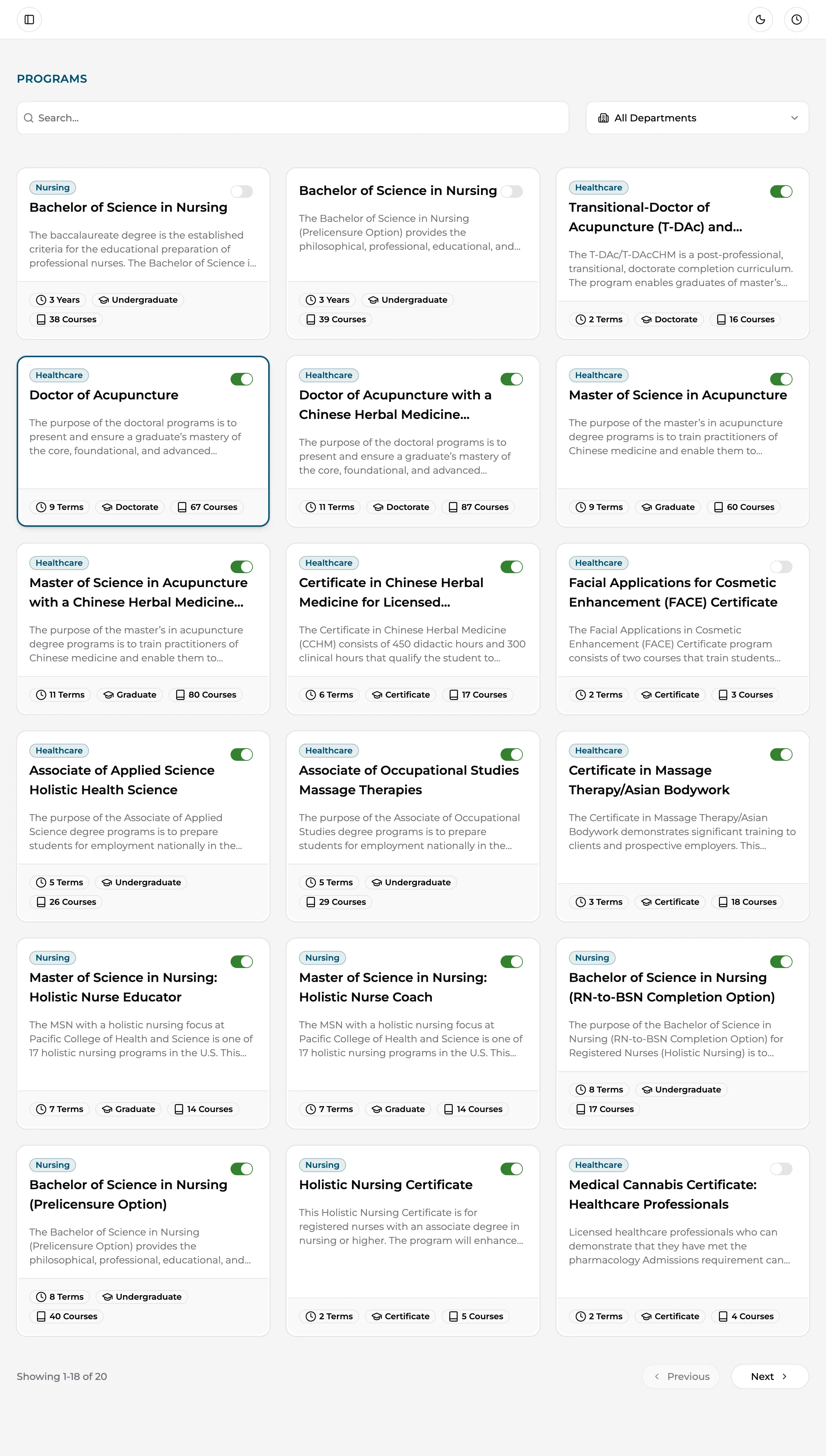
Section titled “The Programs page”The page shows your programs as cards — each with its department, length, level, and course count. Use the search box or the Department filter to narrow the list, then click a program card to open it. The switch on each card controls whether the program is active and available for new evaluations.
Inside a program
Section titled “Inside a program”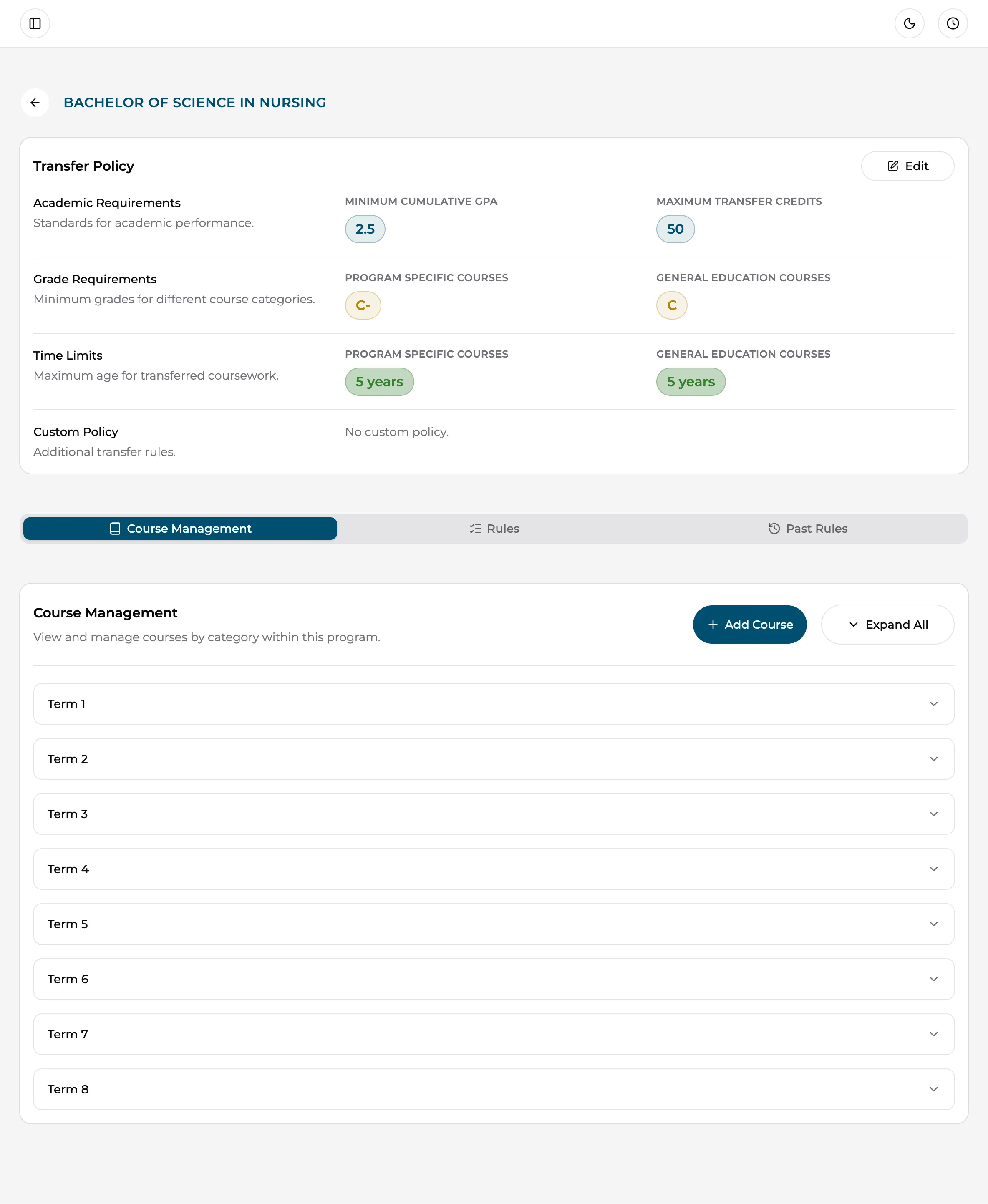
A program’s detail page has two parts:
- The Transfer Policy card — the program’s evaluation requirements (minimum GPA, grade minimums, credit caps, time limits, and a custom policy). Covered in Transfer policy & rules.
- Three tabs:
- Course Management — the program’s course catalog, where you add and edit courses.
- Rules — active evaluation rules for the program.
- Past Rules — a read-only history of rules that used to apply, so old evaluations stay explainable.
Concentrations
Section titled “Concentrations”A program can have concentrations (tracks within the degree). When a program has them, anyone creating an evaluation must pick one, and students see the same choice on upload forms.
Scoping programs with teams
Section titled “Scoping programs with teams”If different staff handle different programs — say, a Nursing team and a Business team — use Team Management to group users and assign programs to each team. A user’s teams control which programs they work with. See Team & roles.
Program setup checklist
Section titled “Program setup checklist”For a new program to evaluate well:
- Add the program’s courses under Course Management — codes, titles, credits, and categories. The AI can only match against courses you’ve added.
- Set the Transfer Policy — GPA and grade minimums, transfer credit maximum, and time limits.
- Run a test evaluation with a sample transcript and check the suggestions — then adjust course data or AI settings if needed.